Exploit.cz

How to deal with large Doctrine datasets - Symfony console command - OutOfMemoryError - PHP Fatal error: Allowed memory size of * bytes exhausted

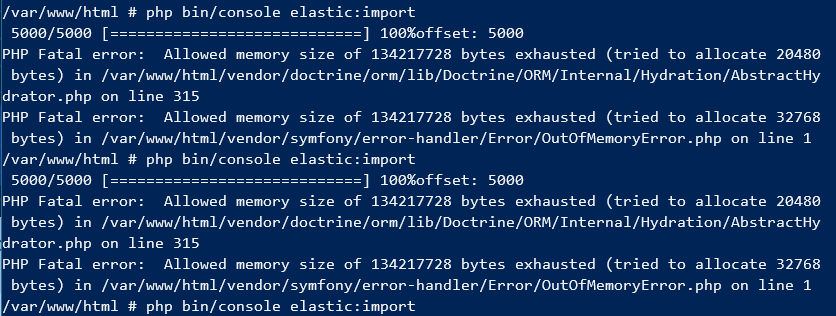
Imagine that you want to import your 5000+ items from database to ElasticSearch and you have restricted memory limits (e.g. 128MB). You will probably end up with PHP Fatal error:Allowed memory size of 134217728 bytes exhausted. What you have to do? You have to unconfigure logger, clear entity
How to set REMOTE_ADDR from HTTP_X_ORIGINAL_FORWARDED_FOR header when going through EZOIC proxy cache

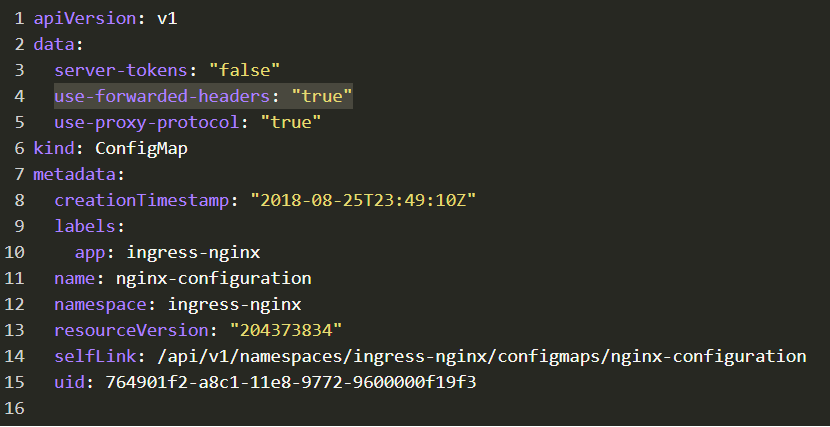
Prerequisites: * kubernetes ingress * your varnish proxy cache * Symfony PHP application 1. Edit your global Kubernetes Ingress Config Map in namespace ingress-nginx named nginx-configuration [https://rancher2.exploit.cz/p/local:p-mt7fw/config-maps/ingress-nginx:nginx-configuration] and add use-forwarded-headers: true 2. In your Varnish proxy in section sub vcl_recvadd if (req.http.

How to Search across multiple ElasticSearch Indexes with Symfony FOS\ElasticaBundle

ElasticSearch v6.0 deprecated multiple types in one index. You can read more here: Removal of mapping types [https://www.elastic.co/guide/en/elasticsearch/reference/6.0/removal-of-types.html] How to deal with this breaking change? Create MultiIndex.php file in your Symfony App project <?php declare(strict_

Resolve not working Symfony ESI/SSI caching

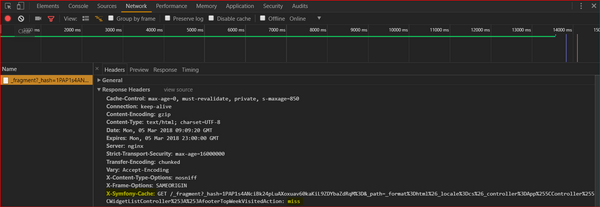
If you have done this setup Symfony HttpCache [https://symfony.com/doc/current/http_cache.html] and ESI - Working with Edge Side Includes [https://symfony.com/doc/current/http_cache/esi.html] and your application is still not loading from cache, here is solution for you. Firstly you have

Exploit.cz © 2026